Inside SenpaiGo: an offline-first app for workplace Japanese
SenpaiGo is a web app for learning the Japanese that is used at work: business vocabulary, keigo, grammar, and practice for the BJT (Business Japanese Proficiency Test). It runs in the browser, keeps working offline, and stores the learner’s history on their own device.
This post walks through what it does and how it is put together.
What it does
- Search first. The home screen is a search box that takes kanji, kana, romaji or English, and understands conjugated forms such as ご確認ください. Paste a whole sentence and it is split into words with furigana and an English translation. Handwriting input and reading Japanese from an image are also built in.
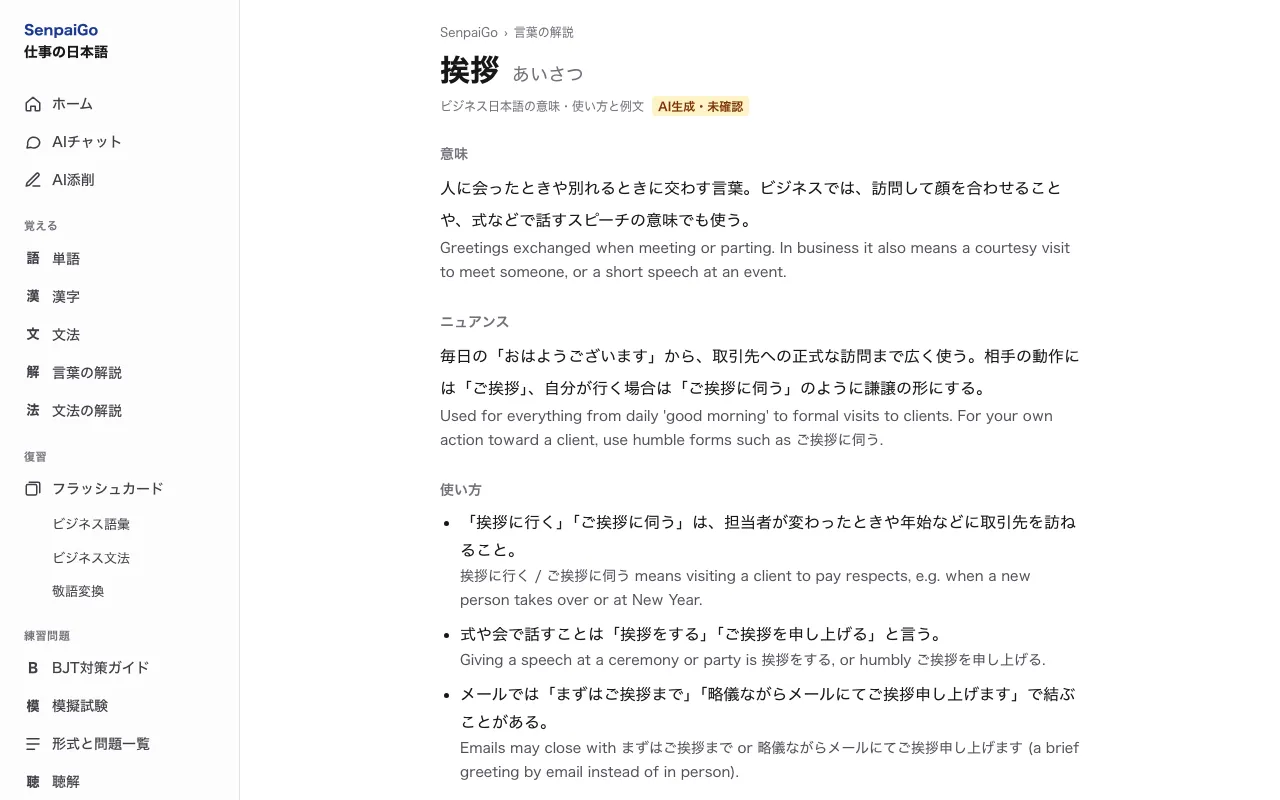
- Word and grammar guides. Business words get a page of their own with the meaning, the nuance, and examples for in-house, client-facing and email situations. Grammar guides cover JLPT N5 to N1.
- Flashcards. Vocabulary, grammar and keigo decks, scheduled with spaced repetition.
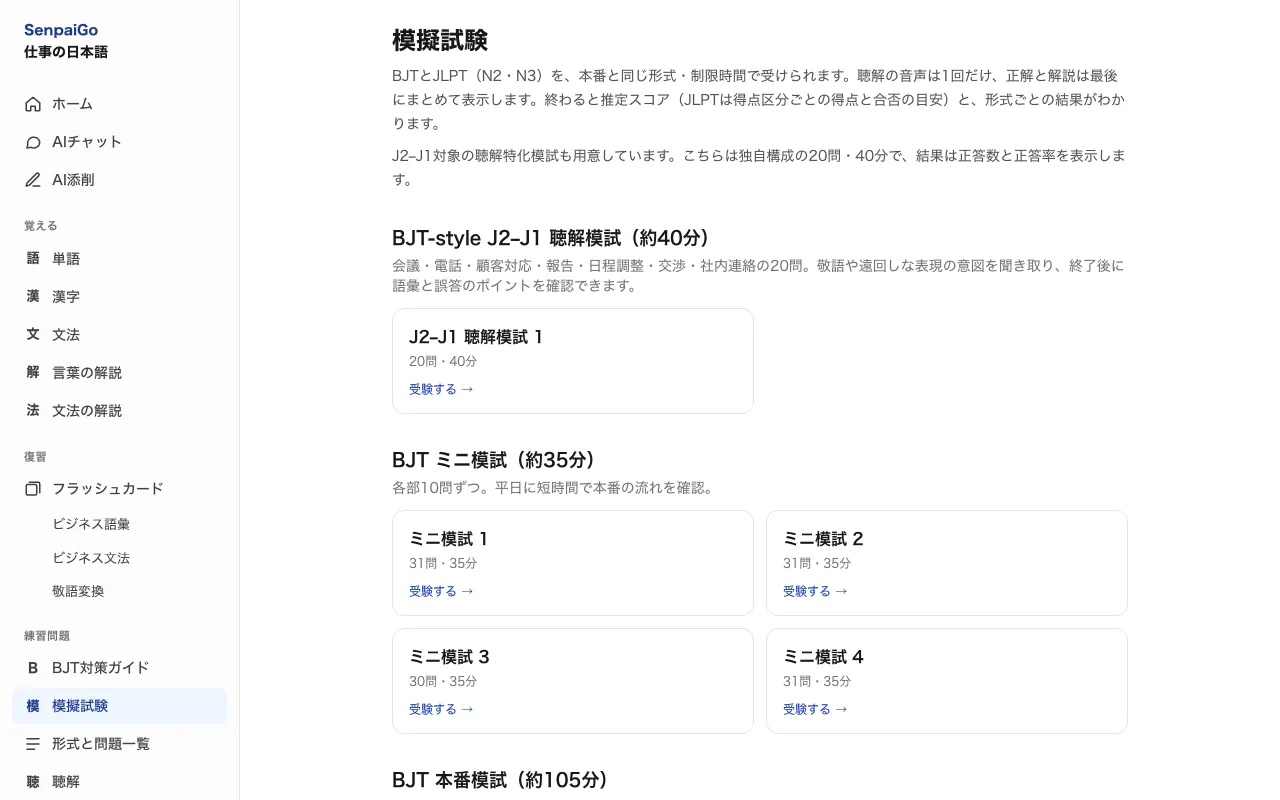
- BJT practice. All nine BJT question types, plus mock tests that follow the real exam’s format and time limits, including a listening mock test. There are JLPT N2 and N3 mock tests too.
- Optional AI. AI chat, sentence correction and “ask AI” run on the learner’s own local model (Ollama) or their own API key.
- Chrome extension. Select Japanese text on any page to see its reading and meaning. For PDFs, the right-click menu opens the result in Chrome’s side panel.
- Two interface languages. Japanese and English.
How it is built
A static site, no server. The app is built with Next.js and React, styled with Tailwind CSS, and exported as plain files. Nothing runs on a server, so there are no accounts and nothing to sign in to.
Offline by default. A service worker (Serwist) precaches every page, so the app keeps working without a connection once it has been opened.
The dictionary runs on the device. The data comes from JMdict and KANJIDIC2, converted at build time from a pinned, checksummed release. A core dictionary of about 23,000 words is precached with the app. The full dictionary of about 219,000 words (14.7 MB) downloads on first use and is stored in IndexedDB by a Web Worker, so the interface never blocks while it loads.
Learning history stays in the browser. Quiz attempts and flashcard progress are saved in IndexedDB. The flashcard schedule uses FSRS through the ts-fsrs library.
Explanations are written ahead of time. The word and grammar explanations were generated with Claude using structured output, saved as JSON files in the repository, and shipped as static pages. The app labels them as AI-generated.
Other pieces.
- WanaKana converts romaji to kana for search.
- KanjiVG provides stroke order and the data behind handwriting input.
- Tesseract.js reads Japanese text from images, in the browser.
- kuromoji generates furigana for example sentences at build time.
Tests guard the content. The test suite validates every question in the bank, so a question with an answer index out of range, or a listening question with no audio, fails the build instead of reaching learners.
Hosting
The exported files live in a private S3 bucket behind CloudFront, defined as code with AWS CDK. Every push to the main branch runs lint, tests and the build in GitHub Actions, then uploads the result. GitHub signs in to AWS with a short-lived token, so no AWS keys are stored in the repository.
This site is hosted the same way.
Three decisions that shaped it
- Keep everything on the device. The dictionary, the learner’s history and the extension’s lookups all run locally. Text selected with the extension is never sent anywhere.
- Static over server. With no backend there is nothing to keep running or patch, and hosting costs stay close to zero at small scale.
- AI is opt-in. Because there is no backend, the live AI features use a model or key the learner provides, and the rest of the app works without them.
You can try it at senpaigo.shakyabishal.com.np.